
Hover to zoom · Click for full
Casing
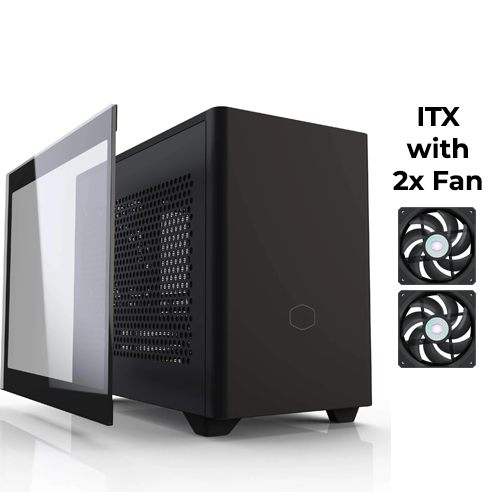
Cooler Master NR200P ITX (Black)
Out of Stock
✓ Synced with our store inventory
Out of Stock
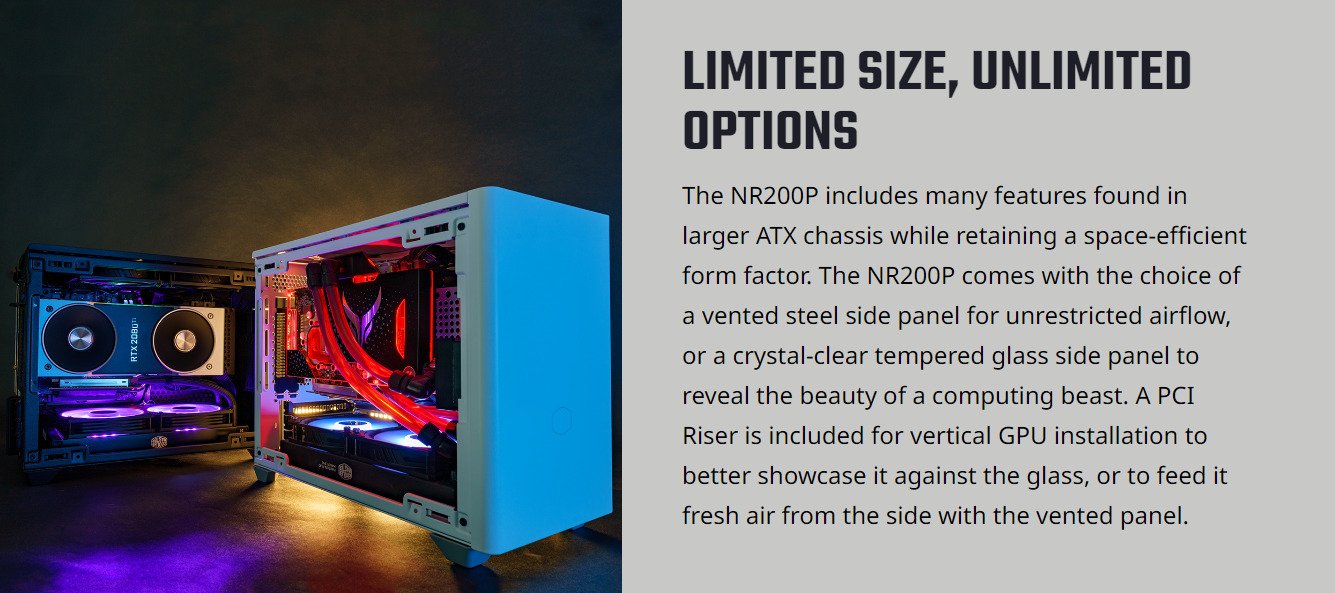
✓Includes Tempered Glass Side Panel, Mesh Side Panel, and GPU Vertical Riser
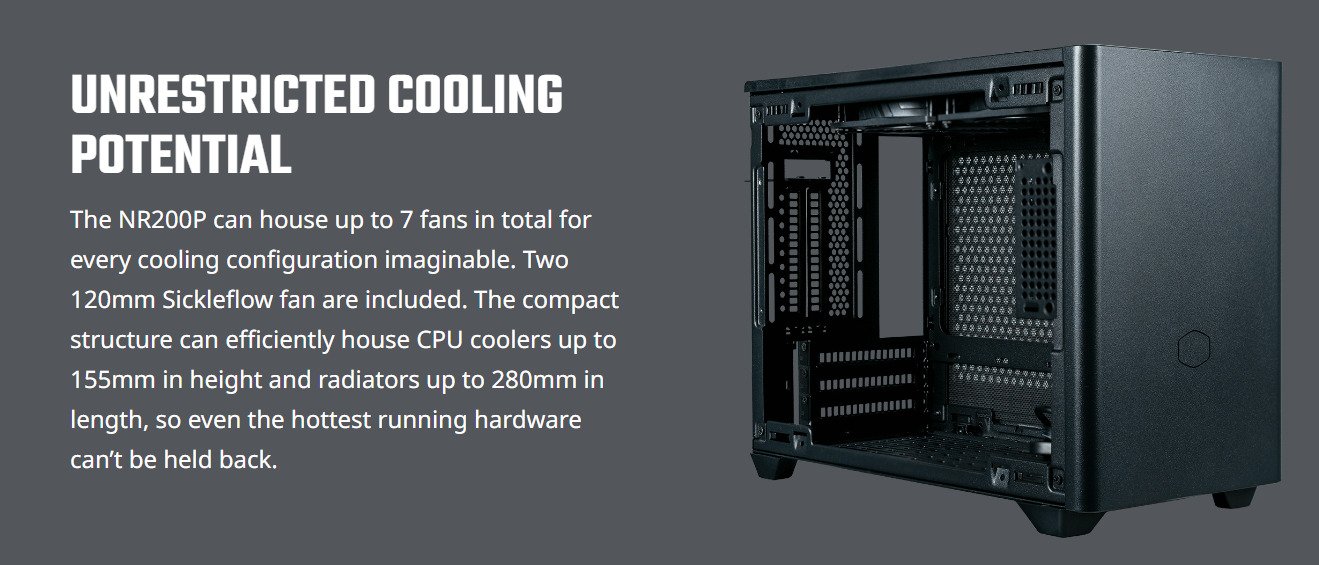
✓Included Fans: 2x top
✓Fan Support: 2x top, 1x rear, 2 bottom, 2x side
✓AIO Support: 120 rear, 240 bottom
✓Motherboard Support: ITX
This item is currently out of stock.
✨ 100% Brand New
🛡️ Secure payments via GCash or Bank Transfer
🛵 Same day delivery within Lucena and nearby areas
📦 Shipping available via J&T Express
🏬 In-store pickup available


About this item
| Model Number | MCB-NR200P-KGNN-S00, MCB-NR200P-WGNN-S00 |
| Series | MasterBox Series |
| Size | Mini ITX |
| Color(s) | Black, White |
| Materials | Steel, Plastic, Mesh, Tempered Glass |
| Dimensions (L x W x H) | 376 x 185 x 292mm incl. Protrusions, 360 x 185 x 274mm excl. Protrusions |
| Volume | 18.25L (exlc. Protrusions) |
| Motherboard Support | Mini DTX, Mini ITX, Max MB size: 244 x 226mm (L x H) |
| Expansion Slots | 3 |
| 3.5" Drive Bays | 1 (Max. 2) |
| 2.5" / 3.5" Drive Bays (Combo) | 1 |
| I/O Panel | 2x USB 3.2 Gen 1 Type-A, 1x 3.5mm Headset Jack (Audio+Mic) |
| Pre-installed Fans - Top | 2x 120mm 650-1800RPM PWM (SickleFlow) |
| Fan Support - Top | 2x 120mm |
| Fan Support - Rear | 1x 92mm |
| Fan Support - Bottom | 2x 120mm (recommended slim fans for GPUs wider than 2.5 PCI slots) |
| Fan Support - Side | 2x 120/140mm |
| Radiator Support - Top | N/A |
| Radiator Support - Rear | 92mm (Not Compatible with Vertical GPU Installation) |
| Radiator Support - Bottom | 120mm, 240mm, (recommended for custom loops only) |
| Radiator Support - Side | 120mm, 140mm, 240mm, 280mm, (not compatible with vertical GPU installation) |
| Clearance - CPU Cooler | 76mm (GPU in vertical position), 153mm (tempered glass side panel), 155mm (vented steel side panel) |
| Clearance - PSU | 130mm |
| Clearance - GFX | L: 330mm (incl. power connector), H: 156mm (incl. power connector), W: 60mm (triple slot) |
| Dust Filters | Top, Bottom, Left side, Right side |
| Power Supply Support | SFX, SFX-L |
| Weight | 5.93 kg |
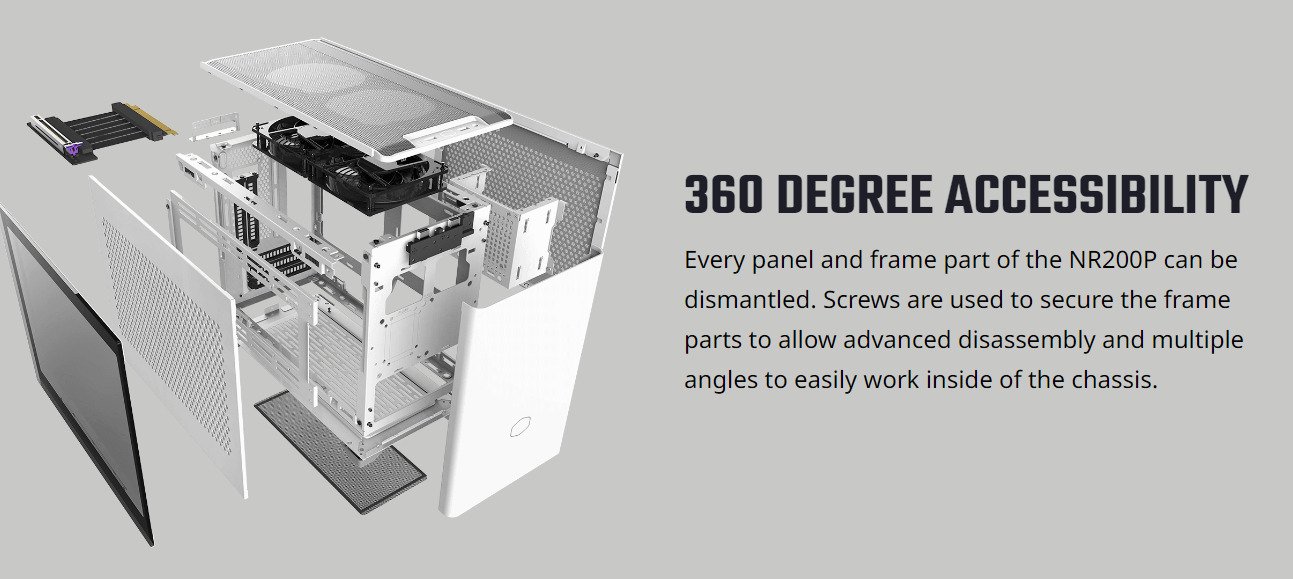
| What's included? | 1x Cooler Master NR200P Casing 1x Mesh Side Panel 1x Glass Side Panel 2x SickleFlow 120mm Fans 1x PCIe 3.0 x16 riser cable (for vertical mount GPU) |
| Note | Single slot water-cooler GPUs or vertically mounted GPUs are recommended when using bottom radiator position, This product is only compatible for devices that support the PCI-E 3.0 specification. If you use this product with a motherboard that supports PCI-E 4.0, please enter into BIOS option and select PCI-E 3.0 before installation. |